Understand your data
Introduction to the tool
SimAssist is modular assistance software for the structured management, analysis, visualisation and documentation of data, specifically from simulation projects, but also from other data sources. The software is aimed at users who want to systematically evaluate and interpret simulation results – regardless of which simulation software was used.
The core objective is to make data quickly usable and to present correlations in an understandable way in order to support better decisions during the course of the project. The application can be flexibly adapted to individual requirements and supports both tabular and graphical analyses.
You are currently viewing a placeholder content from YouTube. To access the actual content, click the button below. Please note that doing so will share data with third-party providers.
More InformationOptimization of your simulation projects
SimAssist emerged from the research projects AssistSim and EDASim and was further developed by SimPlan as an independent product.
The system enables professional preparation of simulation results, regardless of which simulation software (Plant Simulation, AnyLogic, etc.) you have been working with and which data sources you are working with.
SimAssist represents a great workload reduction for all simulation users and helps to amortize the investment in simulation in the long term.
Areas of application and typical uses
SimAssist is used in projects where large amounts of data need to be analysed, interpreted and presented transparently:
Typical areas of application:
- Evaluation of results data from simulation models
- Identification and visualisation of statistical trends
- Comparison of different scenarios
- Creation of meaningful diagrams and reports
- Data preparation for project presentations
The software is particularly suitable for beginners in simulation and data analysis, but also for experienced users who need standardised and reproducible evaluations.
Key features and strengths
SimAssist combines data analysis functions in a single platform. The software supports:
- Data management: Structured storage and retrieval of large data sets
- Visualisation: Creation of diagrams, Gantt charts, pie charts and more
- Statistical tools: Methods such as ABC analysis, confidence intervals or correlation analyses
- Documentation: Automated report generation and export functions, including PowerPoint export
- Modularity: Selection of modules as required, from the basic module to special plug-ins
It is particularly noteworthy that SimAssist can import data sets from different formats, for example databases such as SQL Server or Access, as well as Excel tables.
Structure and modules
SimAssist has a modular structure. Building on a basic module (4base), the different modules can be chosen freely and adapted to the users’ individual requirements.
It is also possible for users to get a developers license and develop their individual plug-ins, which again emphasizes the modular and flexible character of SimAssist. This way, users can create a software that is targeted to their own needs and are actively involved in creating their personal software for simulation users.
The already existing tool SimView, frequently used for example in the automotive industry, will be integrated in SimAssist as an independent plug-in in the 2view module.
More details about the modules can be found on our product website www.simassist.de.
4base (basic module)
4base represents the basic module and offers, in addition to the framework application, the basic plug-ins that enable data management as well as data retrieval.
- Database definition
- Table
- Vertical table
- Pivot

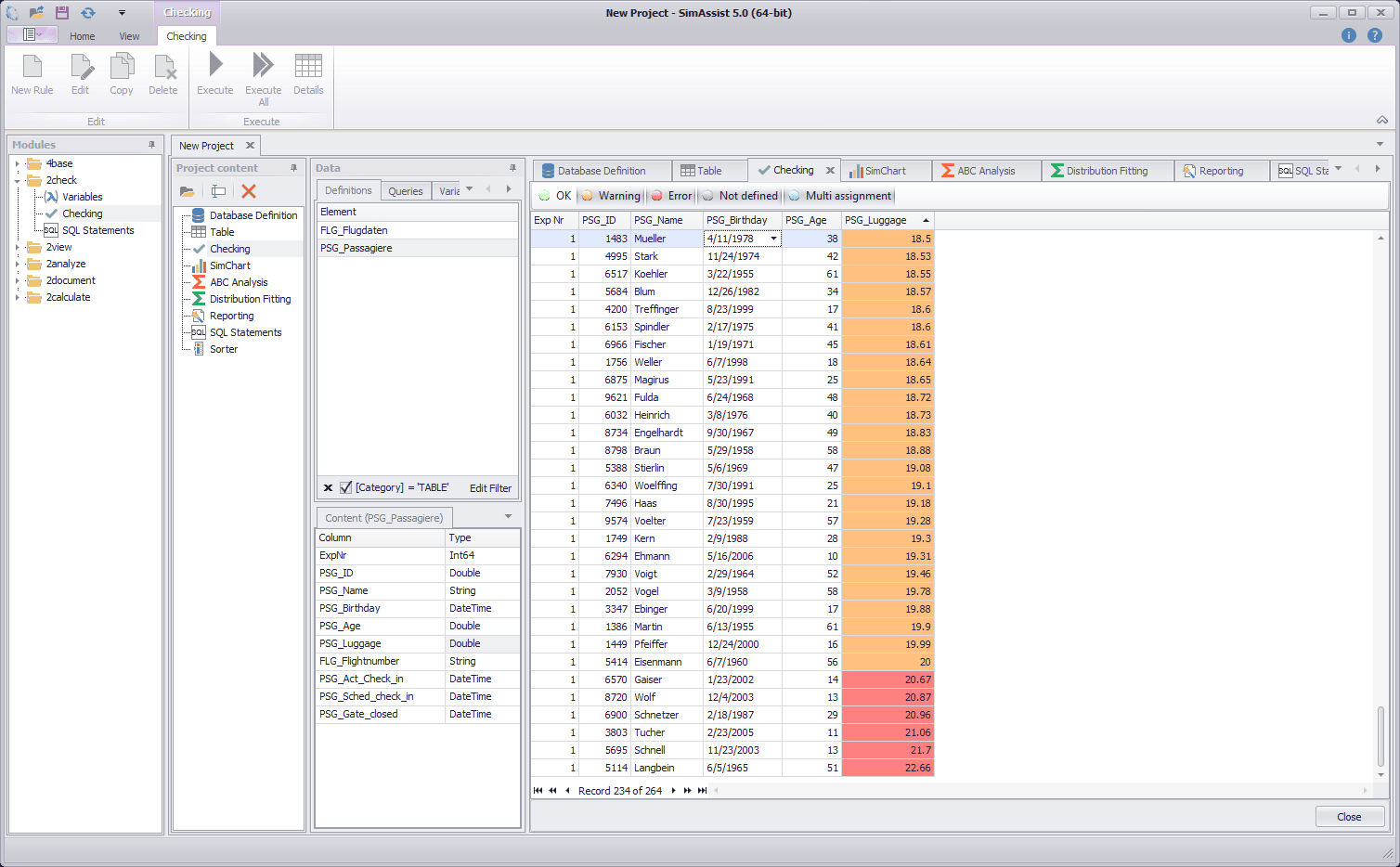
2check
2check provides functions for targeted retrieval and checking of your data.
- Variables
- Checking
- SQL expressions
2view
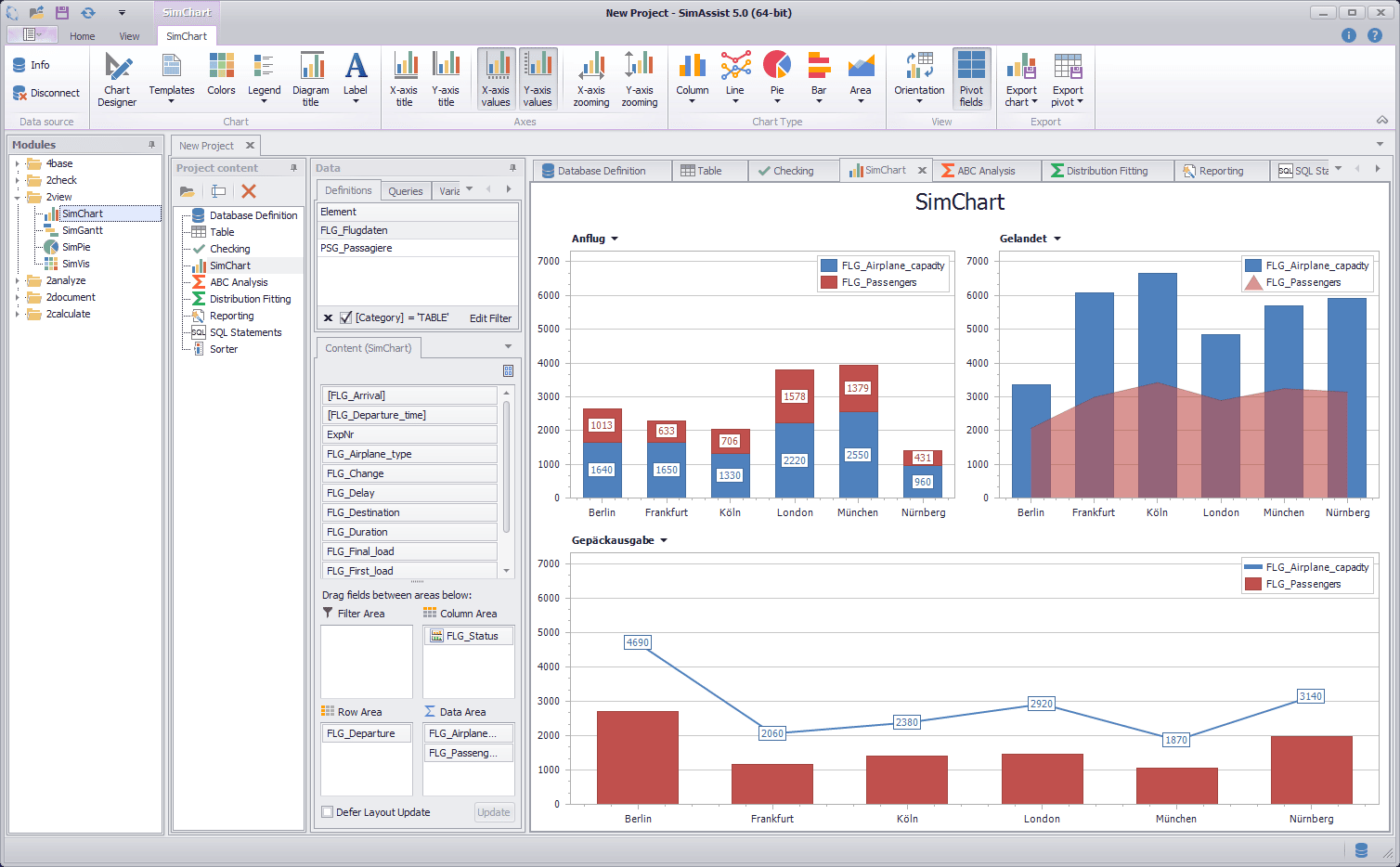
Data can be visualized and conveniently evaluated via the plug-ins of the 2view module.
- SimChart
- SimGantt
- SimPie
- SimVis
2analyze
In order to analyze data individually and efficiently, the 2analyze module provides a number of plug-ins from the field of statistics:
- Categorization
- Confidence interval
- Distribution fitting
- ABC analysis
- Correlation matrix
- Python statements

2document
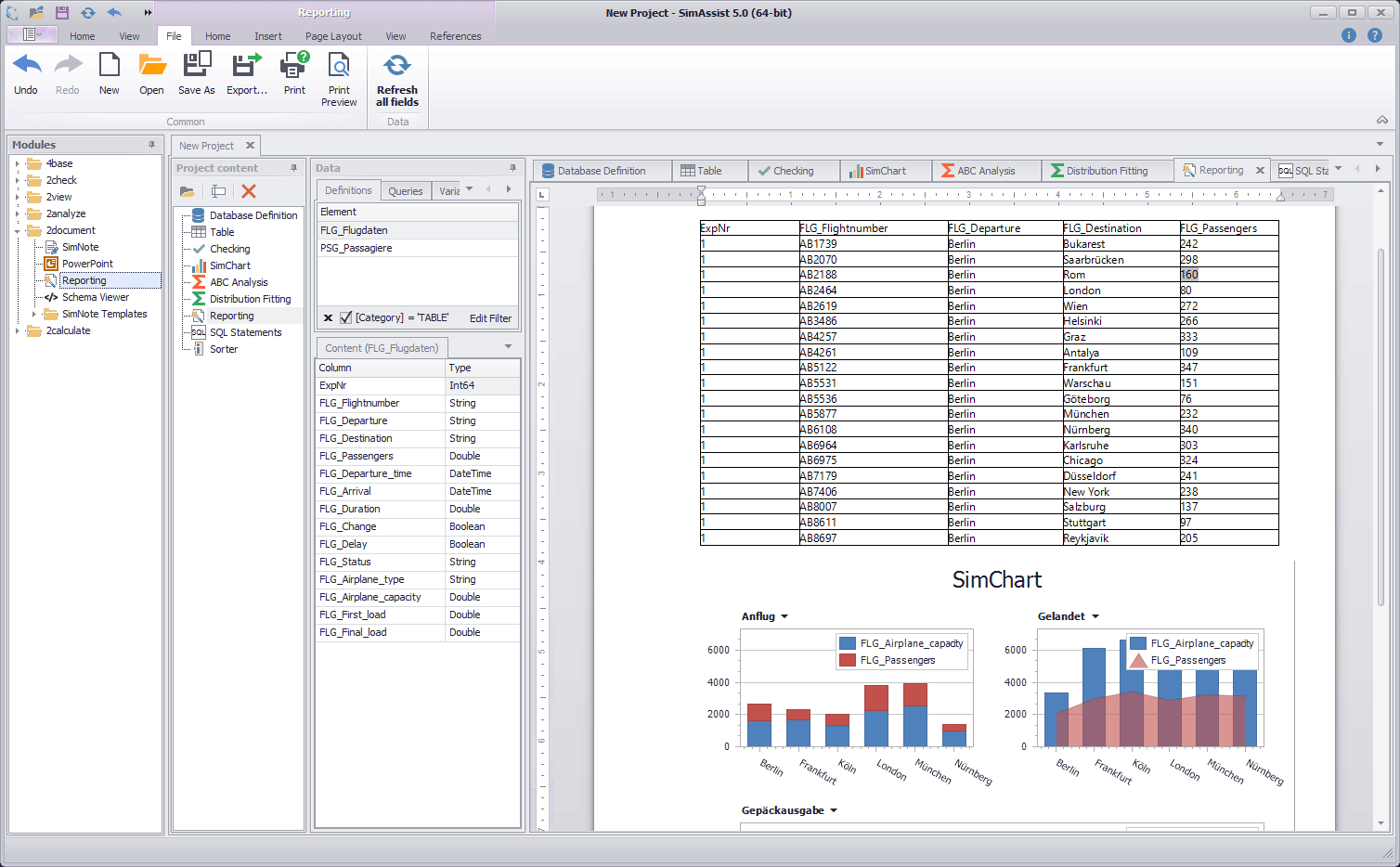
2document is responsible for creating, forwarding, processing and storing information – ideal for your project documentation.
- SimNote
- Powerpoint
- Reporting
2calculate
The 2calculate module contains calculation formulas for different technical systems. These are used to obtain a quick overview of planning and design-relevant parameters and thus to be able to develop a better understanding of possible bottlenecks and limits of the system.
- Monorail
- Sorter
- RBG

2manage
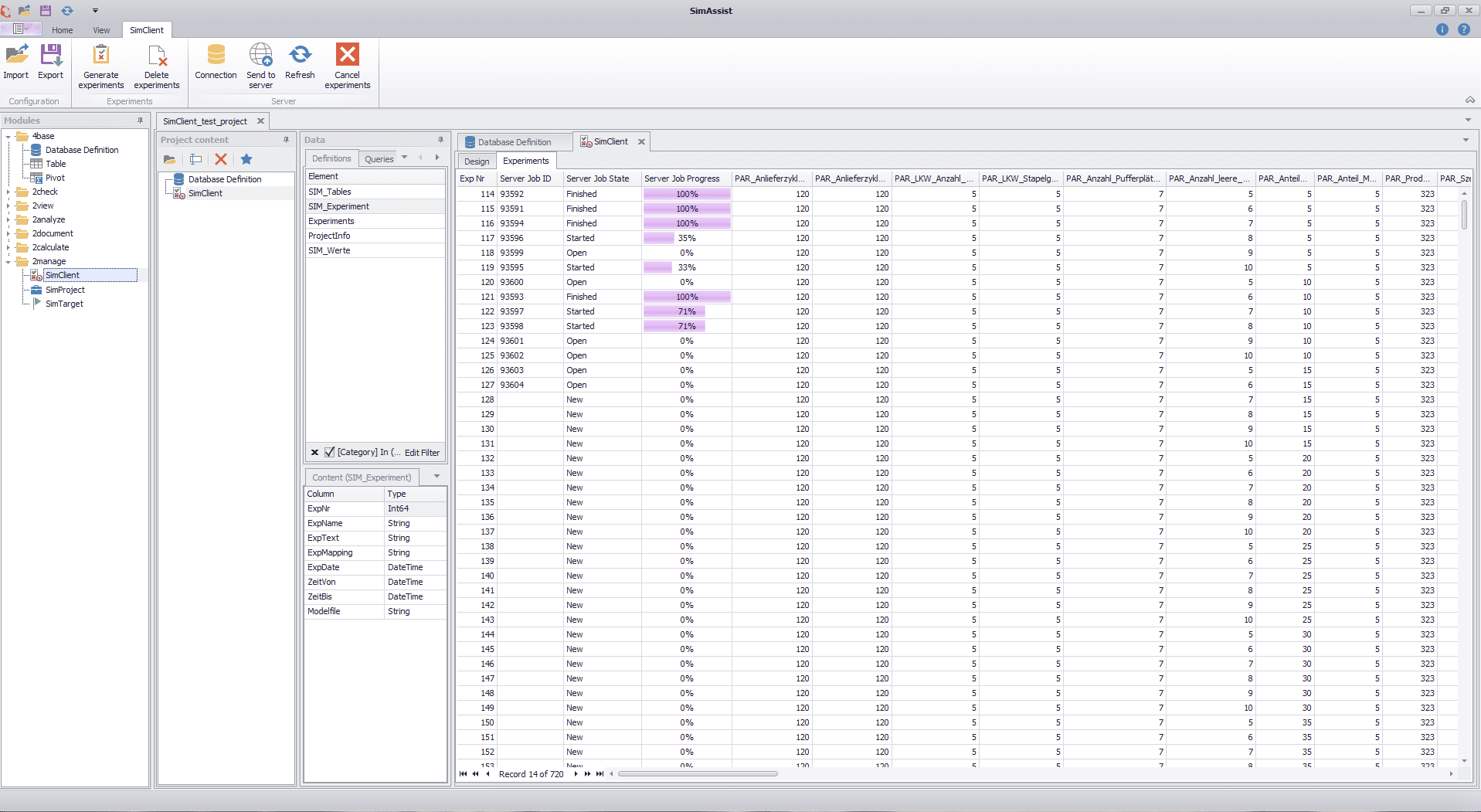
The 2manage module provides functionalities for creating, starting and managing experiments, as well as for simulating project plans. Thus, fully automated experiment scenarios and project plans can be comprehensively examined and evaluated.
- SimClient
- SimProject
- SimTarget
Frequently asked questions (FAQ)
Is SimAssist tied to a specific simulation software?
No. SimAssist processes data independently of the simulation software used.
Which data formats are supported?
Common database formats and Excel tables as well as ODBC data sources.
Do I need programming skills?
Standard functions can be used without programming. However, SQL queries or Python expressions extend the analysis.
Can I extend my own evaluations?
Yes. You can create your own plug-ins with a developer licence.
Manufacturer / Source
SimAssist is developed by SimPlan AG. In addition to the software itself, SimPlan also offers:
Further information, downloads and licence enquiries are available directly from the product page: www.simassist.de/